10. Integration Guide
Connect a web dApp to the Amadeus Wallet Chrome extension: detect the injected window.amadeus provider, connect, sign and submit transactions, switch accounts and networks, request API keys, listen for events and handle errors.
Overview
The Amadeus Wallet extension injects a provider object as window.amadeus into the top-level frame of every http and https page. Pages inside iframes do not get it. Your dApp calls it to read the user's account, ask the user to approve actions, and listen for wallet changes.
Keep these points in mind:
- The wallet signs, your dApp submits.
signTransaction()returns the signed bytes. Nothing reaches the chain until your dApp posts them to a node. - One active account. The extension gives dApps only its active account, never the full account list.
- No per-site connection list. If the wallet is unlocked, any page can read the active account without a prompt. Signing, API keys, and account or network switches need the user's approval. The only exception is a switch to the account or network that is already active, which resolves without a prompt.
- Every approval happens in the wallet. If the wallet's side panel or popup is already open in the user's browser window, the prompt appears there. Otherwise the extension opens it in a separate wallet window.
This page covers the extension version 1.9.x, as of 1.9.2. Account switching needs 1.9.0 or later, getPendingRequests() needs 1.6.0 or later, and the WALLET_LOCKED rejection on auto-lock needs 1.9.2 or later.
Choose an integration path
| Path | Use it when | Docs |
|---|---|---|
createInjectedWalletClient() from @amadeus-protocol/wallet-sdk | Recommended for new code. Typed client with connect, signAndSubmit, switchAccount, a cached ensureApiKey and WalletSdkError codes for its own failures. | Connect a dApp |
useWallet() from @amadeus-protocol/wallet-sdk/react | React apps. Wraps the same client in a hook. | React |
window.amadeus directly | No dependencies, or methods the client does not wrap (requestSwitchNetwork, getPendingRequests, cancelRequest). | This page and the Provider reference |
| Amadeus Connect (QR code and deep link) | Users on the mobile wallet. | Amadeus Connect |
To install the wallet SDK:
npm i @amadeus-protocol/wallet-sdk @amadeus-protocol/sdk
This page shows the provider calls and points to the wallet SDK equivalents. The wallet SDK pages are the full reference.
Detect the wallet
The extension injects the provider asynchronously as a module script. On page load, window.amadeus may not exist yet, so a plain typeof window.amadeus check can fail even when the wallet is installed. When the provider is ready, the extension dispatches a CustomEvent named amadeus-wallet#initialized on window, with detail set to { provider: 'amadeus' }.
Check for the provider first, then wait for the event with a timeout:
function waitForAmadeus(timeoutMs = 3000) {
	if (window.amadeus?.isAmadeus) return Promise.resolve(window.amadeus)
	return new Promise((resolve) => {
		const onReady = () => {
			clearTimeout(timer)
			resolve(window.amadeus ?? null)
		}
		const timer = setTimeout(() => {
			window.removeEventListener('amadeus-wallet#initialized', onReady)
			resolve(window.amadeus?.isAmadeus ? window.amadeus : null)
		}, timeoutMs)
		window.addEventListener('amadeus-wallet#initialized', onReady, { once: true })
	})
}

const provider = await waitForAmadeus()
if (!provider) {
	console.log('Amadeus Wallet not found')
}
The timeout is your choice. When it runs out without a provider, show a link to the Chrome Web Store.
The event is amadeus-wallet#initialized. Some dApps, including the older React demo below, listen for amadeus#initialized. The wallet never dispatches that name.
With the wallet SDK, use isAvailable() and the exported WALLET_INITIALIZED_EVENT constant:
import { createInjectedWalletClient, WALLET_INITIALIZED_EVENT } from '@amadeus-protocol/wallet-sdk'

const wallet = createInjectedWalletClient()

function onWalletReady(callback: () => void) {
	if (wallet.isAvailable()) callback()
	else window.addEventListener(WALLET_INITIALIZED_EVENT, callback, { once: true })
}

onWalletReady(async () => {
	const account = await wallet.connect()
	console.log('Connected', account)
})
The standalone helpers isProviderAvailable() and getAmadeusProvider() run the same check without a client. Both accept the provider only when isAmadeus === true. A version with a timeout is in Connect a dApp.
Connect
requestAccounts() resolves to an array with one entry: the wallet's active account as a Base58 address.
- If the wallet is unlocked, it answers right away, with no prompt.
- If the wallet is locked, the extension opens its unlock screen and answers after the user unlocks.
- With no answer within 30 seconds, it rejects with
Request timeout. If the user unlocks after that, the page still receives theaccountsChangedandconnectevents, so keep those listeners registered.
const [account] = await provider.requestAccounts()
const network = await provider.getNetwork()
console.log(`Connected ${account} on ${network}`)

// On page load, without opening a prompt
const activeAccount = await provider.getAccount()
if (activeAccount) console.log('Wallet unlocked, active account:', activeAccount)
getAccount() resolves to null while the wallet is locked. To let the user choose a different account, call requestSwitchAccount() (see Switch account or network).
Provider methods
| Member | Returns | What it does | Timeout |
|---|---|---|---|
isAmadeus | true | Feature flag. Read-only property. | n/a |
isConnected() | Promise<boolean> | true when a wallet exists and is unlocked. No prompt. | 5 s, then resolves false |
getAccount() | Promise<string | null> | Active account, or null when locked. No prompt. | 10 s, then rejects |
getNetwork() | Promise<string> | Active network: 'mainnet', 'testnet' or 'custom'. No prompt. | 5 s, then resolves the last known network or 'mainnet' |
requestAccounts() | Promise<string[]> | One-element array with the active account. Opens the unlock screen if locked. | 30 s, then rejects |
requestSwitchNetwork(network) | Promise<string> | Asks the user to switch to 'mainnet' or 'testnet'. Resolves to the new network. | 30 s, then rejects |
requestSwitchAccount(target?) | Promise<string> | Asks the user to pick the active account. Resolves to the new address. Extension 1.9.0+. | 120 s, then rejects |
signTransaction(params) | Promise<{ txHash: string; txPacked: number[] }> | Asks the user to sign a contract call. Does not submit. | 120 s, then rejects |
generateApiKey({ aud, exp_in }) | Promise<{ apiKey: string }> | Asks the user to sign a short-lived API key for your backend. | 120 s, then rejects |
getPendingRequests() | Promise<PendingRequestSummary[]> | Requests from your origin that are still waiting in the wallet. Extension 1.6.0+. | 5 s, then resolves [] |
cancelRequest(requestId) | void | Withdraws one of your own pending requests. | n/a |
on(event, callback) | void | Subscribes to a provider event. | n/a |
off(event, callback) | void | Removes a callback added with on. There is no removeListener. | n/a |
The provider object is frozen and cannot be replaced or extended. Timeouts that reject use the message Request timeout.
Send AMA
AMA has 9 decimals: 1 AMA is 1,000,000,000 base units. Coin.transfer takes three arguments: the recipient as a Base58 address, the amount in base units as a string, and the symbol 'AMA'. Use toAtomicAma from @amadeus-protocol/sdk to convert the amount instead of multiplying by hand.
The recommended way is the wallet SDK client, which signs and then submits:
import { isValidAddress, toAtomicAma } from '@amadeus-protocol/sdk'
import { createInjectedWalletClient } from '@amadeus-protocol/wallet-sdk'

const NODE_URLS: Record<string, string> = {
	mainnet: 'https://mainnet-rpc.ama.one/api',
	testnet: 'https://testnet-rpc.ama.one/api'
}

const wallet = createInjectedWalletClient()

export async function sendAma(recipient: string, amount: string) {
	if (!isValidAddress(recipient)) throw new Error('Invalid recipient address')

	const network = await wallet.getNetwork()
	const nodeUrl = NODE_URLS[network]
	if (!nodeUrl) throw new Error(`No node configured for network "${network}"`)

	return wallet.signAndSubmit(
		{
			contract: 'Coin',
			method: 'transfer',
			// AMA has 9 decimals: toAtomicAma('1.5') === 1500000000
			args: [recipient, String(toAtomicAma(amount)), 'AMA'],
			description: `Send ${amount} AMA`
		},
		{ nodeUrl, wait: true }
	)
}
- Choose the node from the wallet's network. The wallet signs for its active network, so a transaction signed on Testnet is not valid on Mainnet. If
getNetwork()returns'custom', the user has set their own RPC in the wallet. The provider does not tell you that URL. - Write a clear
description. The wallet shows it, together with your site's origin, on the approval screen. - Large amounts:
toAtomicAmareturns a JavaScriptnumber, which holds whole numbers exactly only up toNumber.MAX_SAFE_INTEGER, about 9,007,199 AMA in base units. - Check the node's reply. The node answers HTTP 200 even when it refuses a transaction. See Sign and submit a transaction for how to read
submitted.
Sign and submit with the provider
signTransaction() resolves to txHash, the Base58 transaction hash, and txPacked, the signed bytes as a plain number[] (not a Uint8Array). Submit txPacked with submitTransaction from the wallet SDK:
import { toAtomicAma } from '@amadeus-protocol/sdk'
import { submitTransaction } from '@amadeus-protocol/wallet-sdk'

const { txHash, txPacked } = await provider.signTransaction({
	contract: 'Coin',
	method: 'transfer',
	args: [recipient, String(toAtomicAma('1')), 'AMA'],
	description: 'Send 1 AMA'
})

const reply = await submitTransaction(txPacked, {
	nodeUrl: 'https://mainnet-rpc.ama.one/api',
	wait: true
})
console.log(txHash, reply)
submitTransaction posts the bytes to <nodeUrl>/tx/submit, or to <nodeUrl>/tx/submit_and_wait when wait is true. It throws a WalletSdkError with code SUBMIT_FAILED on a non-2xx status.
Without the wallet SDK, post the bytes yourself as application/octet-stream:
const response = await fetch('https://mainnet-rpc.ama.one/api/tx/submit', {
	method: 'POST',
	headers: { 'Content-Type': 'application/octet-stream' },
	body: new Uint8Array(txPacked)
})
const reply = await response.json()
if (reply.error !== 'ok') throw new Error(`Node rejected the transaction: ${reply.error}`)
console.log('Submitted', reply.hash)
The node replies { "error": "ok", "hash": "<Base58 hash>" } when it accepts the transaction, or { "error": "<reason>" } when it refuses it. Link users to the transaction at https://explorer.ama.one/network/tx/<hash>, or https://testnet.explorer.ama.one/network/tx/<hash> on Testnet.
Call other contracts
signTransaction() signs a call to any contract:
async function callContract(contract, method, args, description) {
	return provider.signTransaction({ contract, method, args, description })
}
contractis a built-in contract name such as'Coin'. The extension signscontractas text and does not convert a Base58 address to bytes.- Amadeus addresses are Base58 BLS public keys, not
0xhex. - Only
Coin.transferconverts a Base58 string argument to bytes for you (its first argument). For other contracts, pass byte arguments asUint8Array. The extension keeps them as bytes (since 1.0.19). - Submit
txPackedthe same way as a transfer.
Argument encoding is covered in Binary arguments and Transaction building.
Switch account or network
const newAccount = await provider.requestSwitchAccount?.(address)
const newNetwork = await provider.requestSwitchNetwork('testnet')
requestSwitchAccount(target?) opens the wallet's account chooser. The user always confirms, so a dApp cannot switch accounts silently. target is an optional Base58 address hint, and the user can still pick another account. A target that is not a valid Amadeus address makes the call reject. If target is already the active account and the wallet is unlocked, the call resolves right away without a prompt. The method exists from extension 1.9.0. Older versions lack it, which is why the example uses ?.. The wallet SDK's switchAccount() throws a WalletSdkError with code UNSUPPORTED in that case.
requestSwitchNetwork(network) accepts only 'mainnet' or 'testnet'. Any other value rejects with Invalid network: <value>. Must be 'mainnet' or 'testnet'. If the wallet is already on that network, it resolves right away. Otherwise the user approves the switch, and every open page receives networkChanged. The wallet SDK client does not wrap this method; call it on wallet.getProvider().
Both methods open the unlock screen first when the wallet is locked.
Get an API key
An API key is a short-lived token, signed by the user's account, that proves to your backend that the user controls an address. It does not create a transaction.
const { apiKey } = await provider.generateApiKey({
	aud: 'https://api.example.com',
	exp_in: 60 * 60
})
await fetch('https://api.example.com/session', {
	headers: { Authorization: `Bearer ${apiKey}` }
})
audis the audience your backend checks. It must not be empty.exp_inis the lifetime in seconds and must be a positive integer.- The user approves the request in the wallet. A new
generateApiKey()call from the same tab replaces an earlier one that is still waiting, and the earlier call rejects withsuperseded.
Check the key on your backend with verifyApiKey from the wallet SDK:
import { verifyApiKey } from '@amadeus-protocol/wallet-sdk'

export function authenticate(apiKey: string): string {
	const result = verifyApiKey(apiKey, { aud: 'https://api.example.com', leewaySeconds: 30 })
	if (!result.valid) throw new Error(`API key rejected: ${result.reason}`)
	return result.address
}
In the browser, the client's ensureApiKey({ aud, expIn }) caches the key and asks the wallet again only when it is close to expiry. See Get an API key for your backend. The token format is described in Signing and API keys.
Events
Subscribe with on(event, callback) and unsubscribe with off(event, callback), passing the same function. Each callback receives one payload object:
const onAccountsChanged = ({ accounts }) => {
	showAccount(accounts[0] ?? null)
}
const onNetworkChanged = ({ network }) => {
	reloadBalances(network)
}

provider.on('accountsChanged', onAccountsChanged)
provider.on('networkChanged', onNetworkChanged)
provider.on('lock', ({ reason }) => console.log('Wallet locked:', reason))

// Later, for example when your view unmounts
provider.off('accountsChanged', onAccountsChanged)
provider.off('networkChanged', onNetworkChanged)
| Event | Payload | When |
|---|---|---|
accountsChanged | { accounts, previousAccounts, timestamp } | The active account changed, including on connect and on lock (accounts becomes []). |
connect | { accounts, network, timestamp } | The page went from no account to an account. |
disconnect | { reason, timestamp } | The page went from an account to none, for example when the wallet locks. |
lock | { reason, timestamp } | The wallet was locked. reason is 'manual' or 'auto-lock'. |
unlock | { accounts, network, timestamp } | The wallet was unlocked. |
networkChanged | { network, previousNetwork, timestamp } | The active network changed. |
shown | { requestId, shownAs, timestamp } | The approval screen for a signTransaction() request opened. shownAs is 'sidepanel', 'popup' or 'window'. The promise still resolves later. |
accountsholds at most one address, the active account.timestampis an ISO 8601 string, such as'2026-11-09T12:00:00.000Z'. Parse it withnew Date(timestamp). The wallet SDK types it asAmadeusEventTimestamp, astring.lockandunlockfire only after the page knows the wallet's lock state. CallisConnected()once at startup to load it. Until then, treat anaccountsChangedwith an emptyaccountsarray as the signal that the account is gone.shownis not sent when the request has to wait for the user to unlock the wallet first.- The page that called
requestSwitchNetwork()can receivenetworkChangedtwice for one switch, so make the handler safe to run twice.
The extension also dispatches these CustomEvents on window. Each detail is the same payload as the matching provider event:
| Window event | detail |
|---|---|
amadeus-wallet#initialized | { provider: 'amadeus' } |
amadeus-wallet#connected | Same as connect |
amadeus-wallet#disconnected | Same as disconnect |
amadeus-wallet#locked | Same as lock |
amadeus-wallet#unlocked | Same as unlock |
amadeus-wallet#networkChanged | Same as networkChanged |
There is no window event for accountsChanged or shown. The wallet SDK exports these names as WALLET_WINDOW_EVENTS.
window.addEventListener('amadeus-wallet#locked', (event) => {
	console.log('Locked at', event.detail.timestamp)
})
Pending requests
getPendingRequests() lists the requests from your origin that are still waiting in the wallet, oldest first. Other sites' requests are never included. Use it to avoid opening a second prompt while one is open:
const pending = await provider.getPendingRequests()
if (pending.some((request) => request.type === 'sign')) {
	console.log('A signing request is already waiting in the wallet')
}

// Withdraw open signing prompts; the wallet only cancels this tab's own
pending
	.filter((request) => request.type === 'sign')
	.forEach((request) => provider.cancelRequest(request.id))
Each entry is { type, id, timestamp }. type is 'sign', 'apiKey', 'switchNetwork', 'switchAccount' or 'connection', and timestamp is in milliseconds.
cancelRequest(requestId) works for sign, apiKey and switchAccount requests, and only from the tab that created them. The cancelled call rejects with Request cancelled. For switchNetwork and connection entries the wallet keeps the request: a pending requestSwitchNetwork() call still rejects with Request cancelled in your page, but the prompt stays open in the wallet. The requestId of a signing request also arrives in the shown event.
The wallet also drops sign, API key and account-switch requests by itself:
- once they are more than 120 seconds old (it checks once a minute);
- when the tab that made them closes, reloads or navigates to another page.
When the wallet auto-locks, it rejects every pending request, network switches included, with WALLET_LOCKED. That happens when the inactivity timer runs out while a wallet window is open, or when every wallet window has been closed for that long. The wallet also broadcasts the lock to every tab (reason: 'auto-lock', see Events). Ask again after the user unlocks. Before 1.9.2, only the timer for closed wallet windows locked the wallet, and it dropped these requests without telling the page, so the call ended with Request timeout. An idle open window locked only its own screen and sent no lock event.
Errors
The provider rejects with a plain Error. Branch on error.message:
| Message | Cause |
|---|---|
User rejected the request | The user declined a signature, an API key, or a network or account switch. |
Request timeout | No answer within the method's timeout. |
Request cancelled | You withdrew the request with cancelRequest(). |
WALLET_LOCKED | The wallet auto-locked while the request was waiting. Extension 1.9.2+; older versions end with Request timeout. |
expired | The wallet dropped the request because it was more than 120 seconds old. The provider's own 120 s timeout usually rejects first with Request timeout. |
superseded | A newer generateApiKey() from the same tab replaced this one. |
cancelled | The wallet's answer to a cancelRequest(). The provider rejects the call with Request cancelled first, so you rarely see it. |
Network switch rejected, Account switch rejected | Fallback messages when a switch fails without a reason. A user who declines gets User rejected the request. |
Invalid network: <value>. Must be 'mainnet' or 'testnet' | requestSwitchNetwork() got another value. |
FAILED_TO_OPEN_WALLET | The wallet could not open its unlock screen. |
FAILED_TO_OPEN_APPROVAL | The wallet could not open the approval screen for an API key or a switch. |
NOT_SHOWN | No approval screen could be shown for a signing request. |
UNKNOWN_ERROR | The wallet failed to queue the request. |
Failed to get accounts | requestAccounts() failed without a specific error. |
| Any other message | The wallet refused the request's parameters, for example an empty aud, an empty contract or an invalid target address, or it hit an internal error. |
Match rejections with includes('User rejected'), not an exact string. A user who declines usually does not need an error message:
function describeWalletError(error) {
	const message = error instanceof Error ? error.message : String(error)
	if (message.includes('User rejected')) return null
	if (message === 'Request timeout') return 'The wallet did not answer in time. Try again.'
	if (message === 'WALLET_LOCKED') return 'The wallet locked. Unlock it and try again.'
	if (message === 'FAILED_TO_OPEN_WALLET' || message === 'NOT_SHOWN') {
		return 'The wallet window could not be opened. Open the extension and try again.'
	}
	return message
}
The wallet SDK client adds its own WalletSdkError codes, such as INVALID_ARGUMENT when no wallet is injected, UNSUPPORTED and SUBMIT_FAILED. See Handle errors.
TypeScript
Import the provider types from the wallet SDK instead of writing your own. Importing the package also types window.amadeus:
import { getAmadeusProvider, type AmadeusProvider } from '@amadeus-protocol/wallet-sdk'
Since wallet SDK 0.2.0 the AmadeusProvider type declares every method and event on this page, including the shown event, getPendingRequests() and cancelRequest(), with PendingRequestSummary, AmadeusShownAs and AmadeusEventTimestamp (an ISO string) exported alongside it. requestSwitchAccount, getPendingRequests and cancelRequest are optional in the type, because older extensions lack them, so call them with ?.:
import { getAmadeusProvider, type PendingRequestSummary } from '@amadeus-protocol/wallet-sdk'

const provider = getAmadeusProvider()

provider?.on('shown', ({ requestId, shownAs }) => {
	console.log(`Sign request ${requestId} is open in the ${shownAs}`)
})

export async function pendingSignRequests(): Promise<PendingRequestSummary[]> {
	const pending = (await provider?.getPendingRequests?.()) ?? []
	return pending.filter((request) => request.type === 'sign')
}
One difference remains: connect and unlock can carry network: null before the page knows the network, although the type says string.
All types and payloads are listed in the Provider reference.
Testing
On Testnet
- Switch the wallet to Testnet (see Network Settings), or call
requestSwitchNetwork('testnet')from your dApp. - Get test AMA from the Testnet faucet.
- Submit to
https://testnet-rpc.ama.one/apiand check transactions on testnet.explorer.ama.one.
Without the extension
Pass a mock provider to createInjectedWalletClient(). The client uses it instead of window.amadeus:
import { createInjectedWalletClient, type AmadeusProvider } from '@amadeus-protocol/wallet-sdk'

const TEST_ACCOUNT = '73mLsGrdP8AEeBJoKi9uASM4j7YVf74X14oZVzbPKXLsJ3VEhobrokJkrySyCmzYcF'

const mockProvider: AmadeusProvider = {
	isAmadeus: true,
	isConnected: async () => true,
	getAccount: async () => TEST_ACCOUNT,
	getNetwork: async () => 'testnet',
	requestAccounts: async () => [TEST_ACCOUNT],
	requestSwitchNetwork: async (network) => network,
	requestSwitchAccount: async (target) => target ?? TEST_ACCOUNT,
	signTransaction: async () => ({ txHash: 'mock-tx-hash', txPacked: [] }),
	generateApiKey: async () => ({ apiKey: 'mock-api-key' }),
	on: () => {},
	off: () => {}
}

export const wallet = createInjectedWalletClient(mockProvider)
Example apps
Amadeus Connect demo
amadeus-connect-demo is a plain TypeScript and Vite app built on @amadeus-protocol/wallet-sdk. It connects to the Amadeus mobile wallet by QR code over the bridge relay, with no extension, and covers transfers, contract calls, message signing and API keys. Use it as the example for Amadeus Connect.
Extension React demo
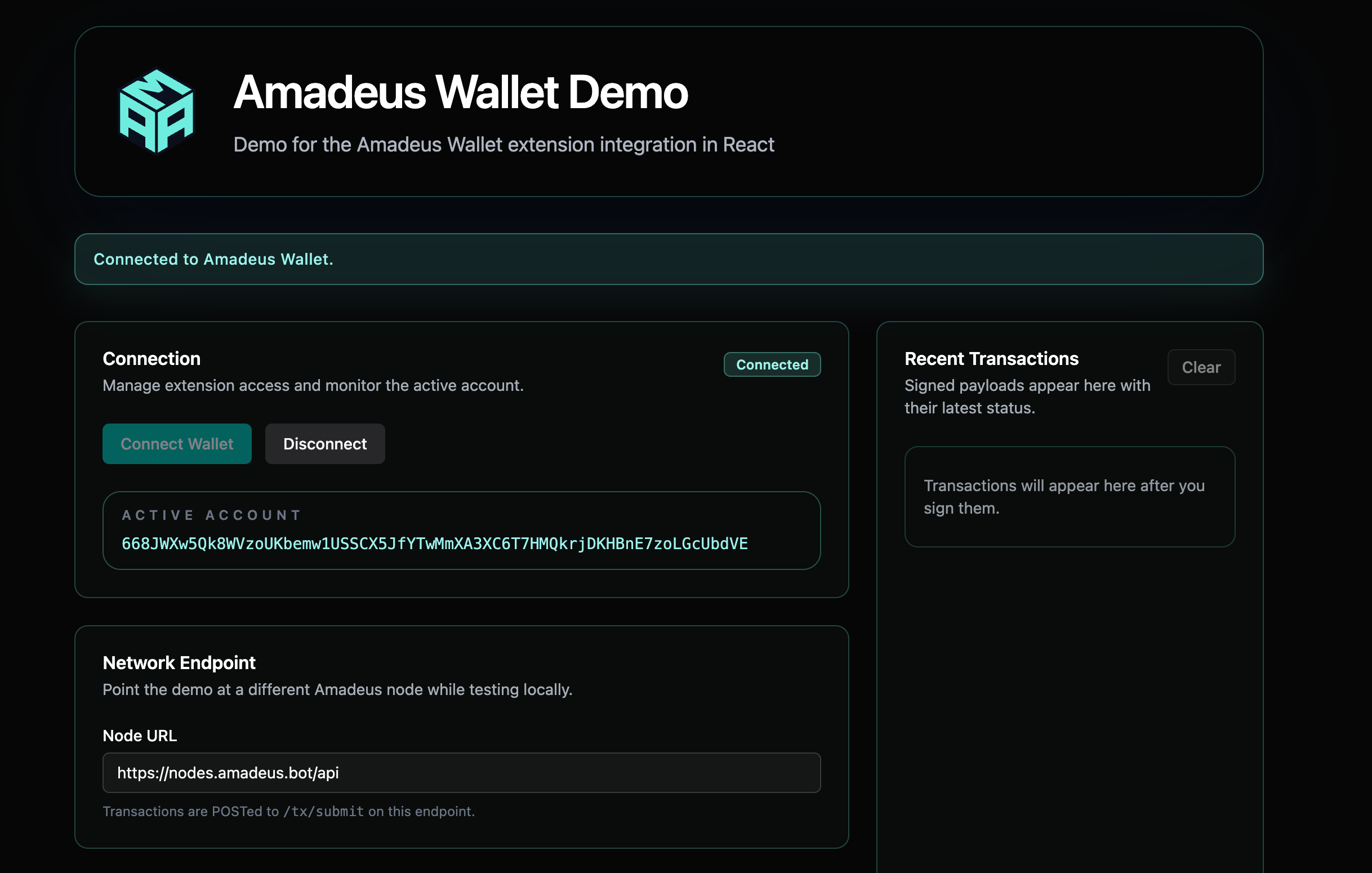
amadeus-wallet-extension-react-demo (live demo) is a React, TypeScript and Vite app that calls window.amadeus directly for connect, transfers and custom contract calls.
The React demo is older than the current extension. It listens for the wrong ready event (amadeus#initialized), and it does not cover account or network switching, API keys or pending requests. Use it as a UI example only. For new React code, use useWallet().
Resources
- Wallet SDK overview, Connect a dApp, React, Provider reference
- @amadeus-protocol/wallet-sdk on npm and source
- @amadeus-protocol/sdk on npm
- Amadeus Wallet in the Chrome Web Store
- Website: ama.one
- Explorers: explorer.ama.one (Mainnet), testnet.explorer.ama.one (Testnet)
- Support: Discord or support@ama.one