9. Network Settings
Switch the Amadeus Wallet extension between Mainnet, Testnet and a custom RPC node, and handle network switch requests from dApps.
Overview
The extension can use three networks:
| Option | RPC node | Explorer | Tokens |
|---|---|---|---|
| Mainnet (default) | https://mainnet-rpc.ama.one | https://explorer.ama.one | Real AMA |
| Testnet | https://testnet-rpc.ama.one | https://testnet.explorer.ama.one | Test tokens with no value |
| Custom RPC | A node URL you enter | An explorer URL you enter (optional) | Depends on the node |
The wallet calls the node's HTTP API under /api. For Mainnet that is https://mainnet-rpc.ama.one/api. All network endpoints and protocol parameters are listed on the Networks page.
Which network am I on?
- On Testnet, a Testnet badge with a yellow dot appears under the header. Mainnet and Custom RPC show no badge on the dashboard.
- The Sign Transaction and Generate API Key screens show the current network (Mainnet, Testnet or Custom) at the top.
- Settings → Active Networks shows the selected network and, for Mainnet and Testnet, a line such as "Using https://mainnet-rpc.ama.one".
Switch networks
- Click the gear icon in the header to open Settings.
- Click Active Networks ("Network and RPC settings").
- Under Network Selection, open the dropdown and pick Mainnet, Testnet or Custom RPC.
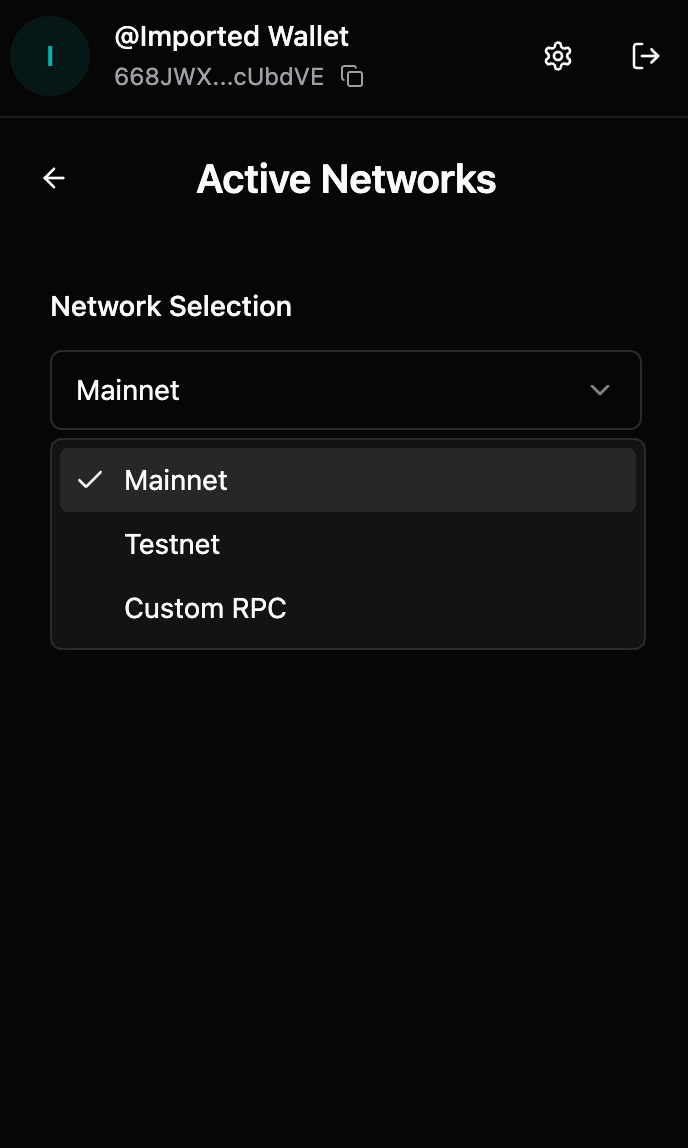
Mainnet and Testnet take effect immediately. The balance and history reload from the new network, and open dApps are told that the network changed.
Use a custom RPC node
- In Active Networks, select Custom RPC.
- In RPC Endpoint, enter the node's base URL, for example
https://your-rpc-endpoint.com. Leave out/api, because the wallet adds it. The URL must start withhttp://orhttps://. - Optionally enter an Explorer URL. The wallet builds explorer links as
<explorer>/network/tx/<hash>. If you leave it empty, explorer links use the Mainnet explorer. - Click Save. It is enabled when the RPC URL is valid and the RPC or explorer URL differs from what is saved.
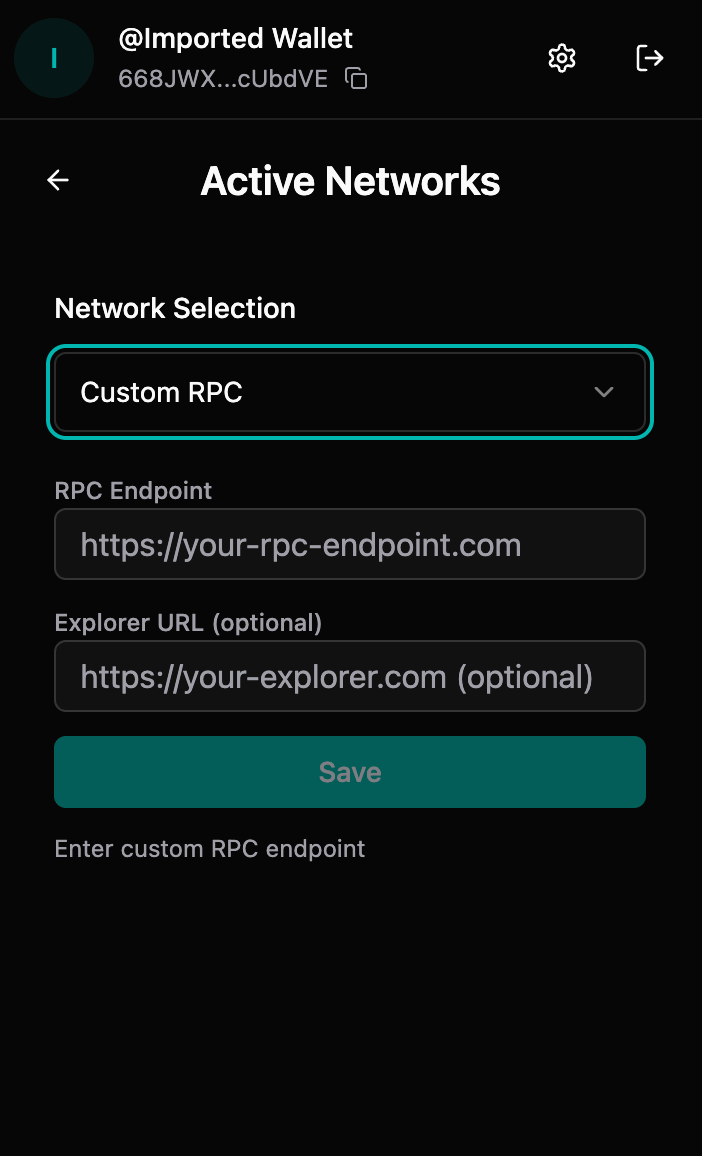
A few things to know:
- If you select Custom RPC and leave the page without saving a URL, the wallet goes back to Mainnet.
- Switching to Mainnet or Testnet clears the saved custom URLs.
- The node must serve the Amadeus HTTP API under
/api. The extension has no host permissions, so the node must also allow cross-origin (CORS) requests. - Custom RPC signs transactions for Mainnet. It uses the Mainnet signing domain, so point it at a Mainnet node. For Testnet, use the built-in Testnet option.
Use only nodes you trust. The node you choose sees your address and the transactions you submit, and it controls the balances and history the wallet shows.
What changes between networks
- Your address is the same on every network.
- Balances, history and staking are separate for each network. A payment on Testnet never shows on Mainnet.
- Accounts and contacts are shared. They are stored in the extension and don't depend on the network.
To get Testnet tokens, use the Testnet faucet.
Network switch requests from dApps
A dApp can ask the wallet to switch between Mainnet and Testnet. It can't request a Custom RPC. The wallet opens a Switch Network screen with the site's origin and the Requested Network. Nothing changes until you click Switch. If the wallet is already on that network, there is no prompt. See Signing transactions.
Approving changes the network for the whole wallet and for every open site, not only for the site that asked.
Signatures are network-specific. A transaction signed while the wallet is on Testnet uses the Testnet signing domain and is not valid on Mainnet, and the other way round. A site can't reuse a Testnet signature on Mainnet.
Troubleshooting
The dashboard shows "Network unavailable"
The wallet couldn't reach the node. Click the refresh icon on the balance card. On Custom RPC, check that the URL is right, has no /api at the end, and that the node allows CORS. Switch to Mainnet to compare.
My balance or history looks empty
Check the network. A Testnet balance doesn't show on Mainnet, and the other way round. Also check that the right account is active.
A dApp says the network is wrong
Switch to the network the dApp expects, or approve its Switch Network request.